A playlist is one line.Your transitions are a tree.
Saturday set
7 songs · 31 min
- 1Soundspider - Sleepless NightsElectronic Future4:12
- 2BRITNEY SPEARS - CIRCUS (COSTA FLIP)COSTA3:48

- 3PelículasM1NEV5:06
- 4Stereo LoveEdward Maya4:30

- 5Matroda - Can't Fight The FeelingMATRODA3:24

- 6I Could Be The One (Avicii Vs. Nicky Romero)AviciiOfficial6:30

- 7More Than You KnowAxwell Λ Ingrosso3:30

A planned set keeps one path and cannot follow the room. Winging it leaves your hardest transitions at home.
The tree is every possible set you can create using the transitions you came up with. Save them once, then choose the path live.
Before we get into how MixTree works, let's get into how it doesn't.
No AI. No suggestions. Ever.
The heart of DJing is the DJ: your ear, your taste, your creativity. So MixTree never recommends a track and never suggests a transition. It remembers and organizes the transitions you give it, and nothing else.
How it works
Save or import your transitions
Add them one pair at a time, or import your Rekordbox or Serato playlists and every pair of songs you played back to back is saved at once.
Watch them connect
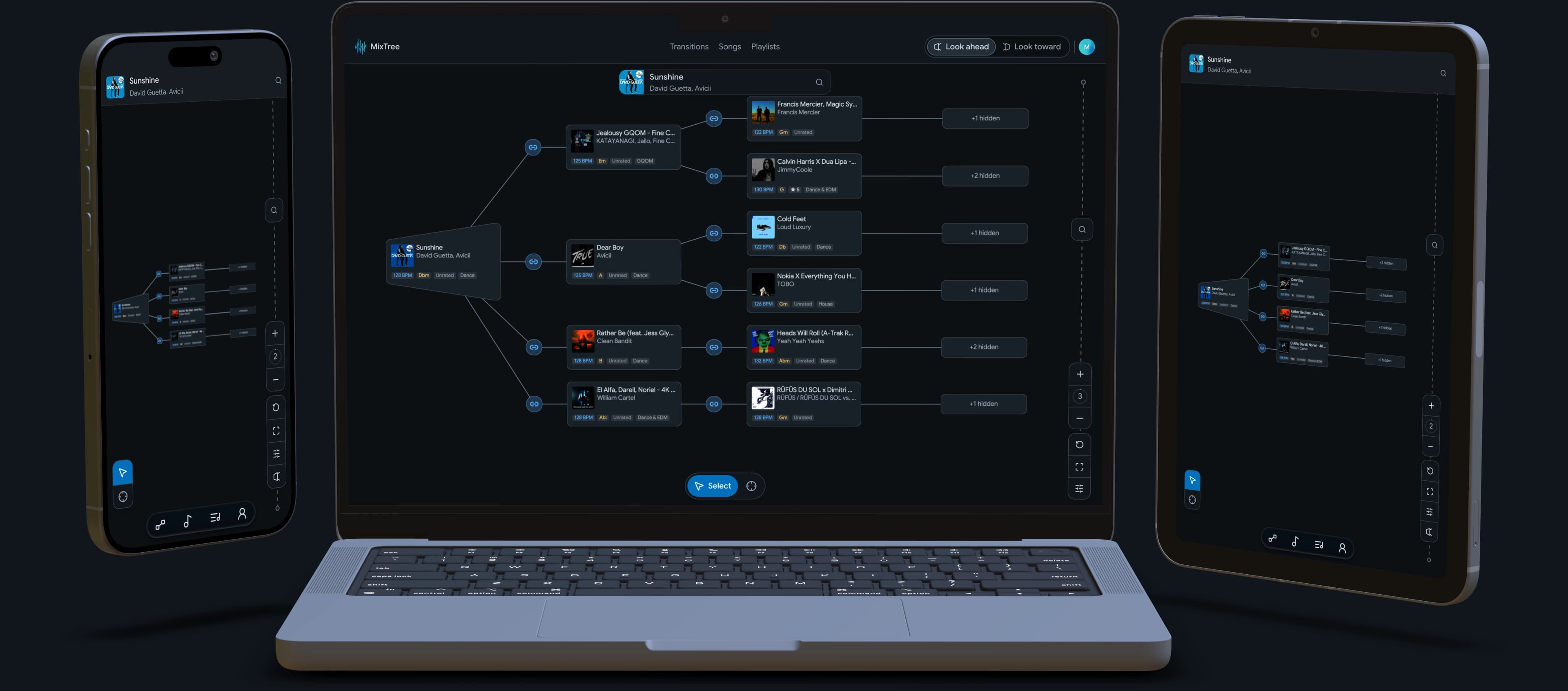
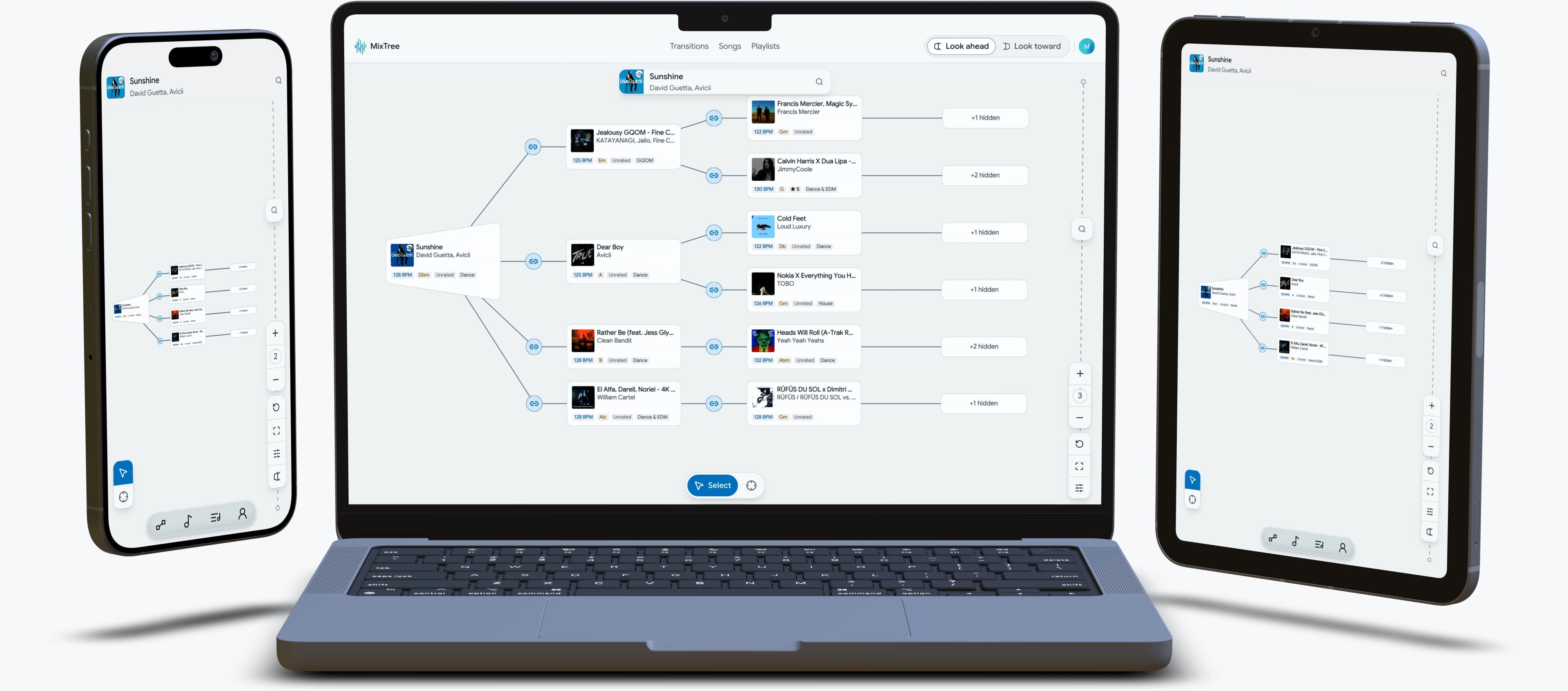
Transitions that share a song link up, so the more you save, the bigger your tree gets, and every path in it is one you saved.
Look ahead
Pick a song and see every transition you know from it, and from the songs after it.
Look toward
Pick where you want to end up and see every path you know that leads there.
Enter your timing
Add where each transition starts, and the tree marks the ones you've already played past.
Play toward a request
Set a requested song as the target and see every path you know that leads to it.

Your tree, on every screen.
Phone, tablet or laptop. Save a transition on one and it is waiting on the others.

Prefer to use MixTree as an app?
No App Store needed. Install it and it opens in its own window, like any other app.
Open this page in Chrome, Edge or Safari to add MixTree as an app.